Accessories
Radley watch straps: sizes, fitting and replacements
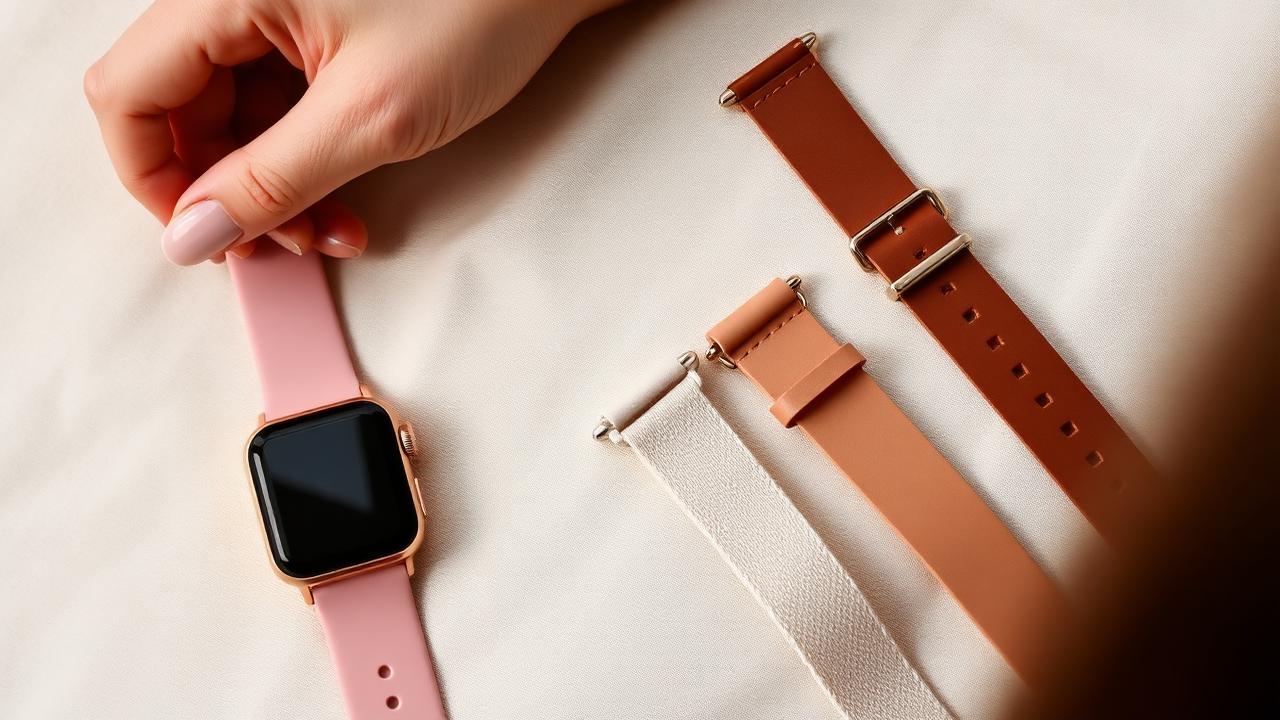
Radley watch straps come in a handful of standard widths, so swapping one is far easier than it looks — as long as you order the right size. Before you replace or upgrade your Radley smartwatch strap, measure the gap between the lugs. Get the measurement right and the new strap slides straight on; get it wrong and it either won't fit the lugs or will sit loose and wear the case. Most Radley smartwatches use standard quick-release straps, so a ruler and a few minutes is usually all you need. This guide covers how to measure your strap size, the Radley watch strap widths used by each Series, how the quick-release system works, and what to look for in a replacement.
How to measure your Radley strap size
Watch strap size is the width between the two lugs — the small arms on the case where the strap attaches. It is measured in millimetres, and almost every quick-release strap comes in even sizes: 16, 18, 20 or 22mm. The measurement you need is the inside gap, not the widest part of the existing strap.
- Measure the lug gap. Lay the watch face down on a flat surface. Use a ruler or digital callipers to measure the distance between the inside edges of the two lugs. If the gap is just under 20mm, round up to 20mm; if it sits between 20mm and 22mm, use the closer even number.
- Check the existing strap. If you still have the original strap, the width is sometimes printed on the underside near the spring bar. Compare it with your ruler measurement to confirm.
- Look up your model code. The caseback and box print a code such as RYS08-…, RYS20-… or RYS33-…. Search that exact code with "strap width" to find the size Radley used for your variant.
- Order the matching even size. A 20mm strap for a 20mm gap, a 22mm strap for a 22mm gap. Half-millimetre differences usually mean the strap will not seat properly.
Radley watch strap widths by Series
These are the widths most commonly used across Radley smartwatch generations. Because Radley has varied strap sizes between colourways and special editions, always measure your own lugs or check your model code before ordering.
Swipe to compare
| Series | Typical case size | Likely strap width |
|---|---|---|
| Series 8 | ~37mm square | 20–22mm |
| Series 20 | ~37mm | 20–22mm |
| Series 32 | ~37mm | 20–22mm |
| Series 33 | ~37mm | 20–22mm |
| Series 21 | ~25mm slim | Narrow band-style (model-specific) |
Treat these widths as a starting point, not a guarantee. Always measure the gap between your lugs or check your model code before ordering.
One structural note: the slim Series 21 and some tracker-style models use straps shaped to the case rather than a straight standard strap. For those, you're best sticking to straps sold specifically for that model.
How quick-release straps work
Most Radley smartwatches use standard quick-release straps, the same spring-bar system used across the watch industry. Once you know your strap size, fitting a replacement takes seconds and needs no tools.
- Slide the pin toward the centre of the strap and hold it. This retracts one end of the spring bar.
- With the pin held, tilt that side of the strap away from the case and lift it free.
- Repeat for the other side.
Fitting the new strap is the reverse: seat one end of the spring bar in its hole in the lug, slide the pin to retract the other end, position it against the second hole, and release. You should hear or feel a small click. Always tug the strap firmly after fitting. A spring bar that isn't fully seated is how watches end up on pavements.
Official vs third-party Radley straps
Official Radley replacement straps exist for common models, in the brand's signature leathers and colours, and are the safe choice for a like-for-like swap. Availability comes and goes with the seasons, and discontinued colourways can be hard to find.
Third-party straps open the field enormously. Any quick-release strap in your width will physically fit the standard-lug models. Things worth knowing before you order:
- Buy quick-release specifically. A standard strap in the right width fits too, but you'd need a spring-bar tool to fit it; quick-release costs pennies more and keeps future swaps toolless.
- Match the width exactly. 20mm means 20mm. Too narrow looks fine at a glance but slides side to side and wears the lugs.
- Silicone for sport, leather for wear, milanese mesh for dress is the usual playbook. Cheap leather straps (under ~$10) tend to crack within months; mid-priced ($13–25) third-party leather generally outlasts the watch.
- Colour-matching the case: most Radley cases are rose-gold or gold toned; straps with silver-toned buckles will clash. Look for straps with rose-gold hardware.
Prices are approximate, converted from GBP at a fixed rate.
There's no electronic connection through Radley straps. Unlike some big-brand watches, nothing stops third-party straps working. It's purely mechanical.
Adjusting a bracelet (metal link) strap
The bracelet versions, like the Series 33 with the rose-gold-tone bracelet, are sized by removing links or, on some designs, sliding an adjustable clasp. Each bracelet watch ships with a printed adjustment guide; Radley also provides the bracelet adjustment instructions as a download on their support pages if yours has gone missing.
The general link-removal process, if yours uses pin-and-link construction:
- Put the watch on and count how many links too loose it is. You'll usually remove links in pairs, one from each side of the clasp, to keep the clasp centred.
- Look for the arrows stamped inside certain links: those are the removable ones, and the arrow shows the direction to push the pin out.
- Use a link-removal tool (a few pounds online) or a pushpin and patience: press the pin out in the arrow direction, separate the links, remove the spares, and press the pin back in against the arrow.
- Keep the spare links. You'll want them if the watch changes wrists as a gift or your sizing changes.
Cleaning and caring for straps
Silicone: warm water, a drop of washing-up liquid, soft cloth; dry before wearing (trapped moisture is the main cause of wrist irritation with any silicone strap). Leather: keep it out of the shower and the gym. Sweat and soaking are what kill leather straps; wipe with a barely damp cloth and let it dry naturally. Mesh/bracelet: soft brush around the links, and dry thoroughly.
If you wear the watch for workouts daily, the honest answer is to run two straps: silicone for exercise, leather or mesh for the rest of the day. With quick-release, the swap takes fifteen seconds.
When the strap breaks at the spring bar
Related: choosing between models, including which come as interchangeable strap sets, is covered in our model guide. Watch playing up? See setup & troubleshooting.